Overview
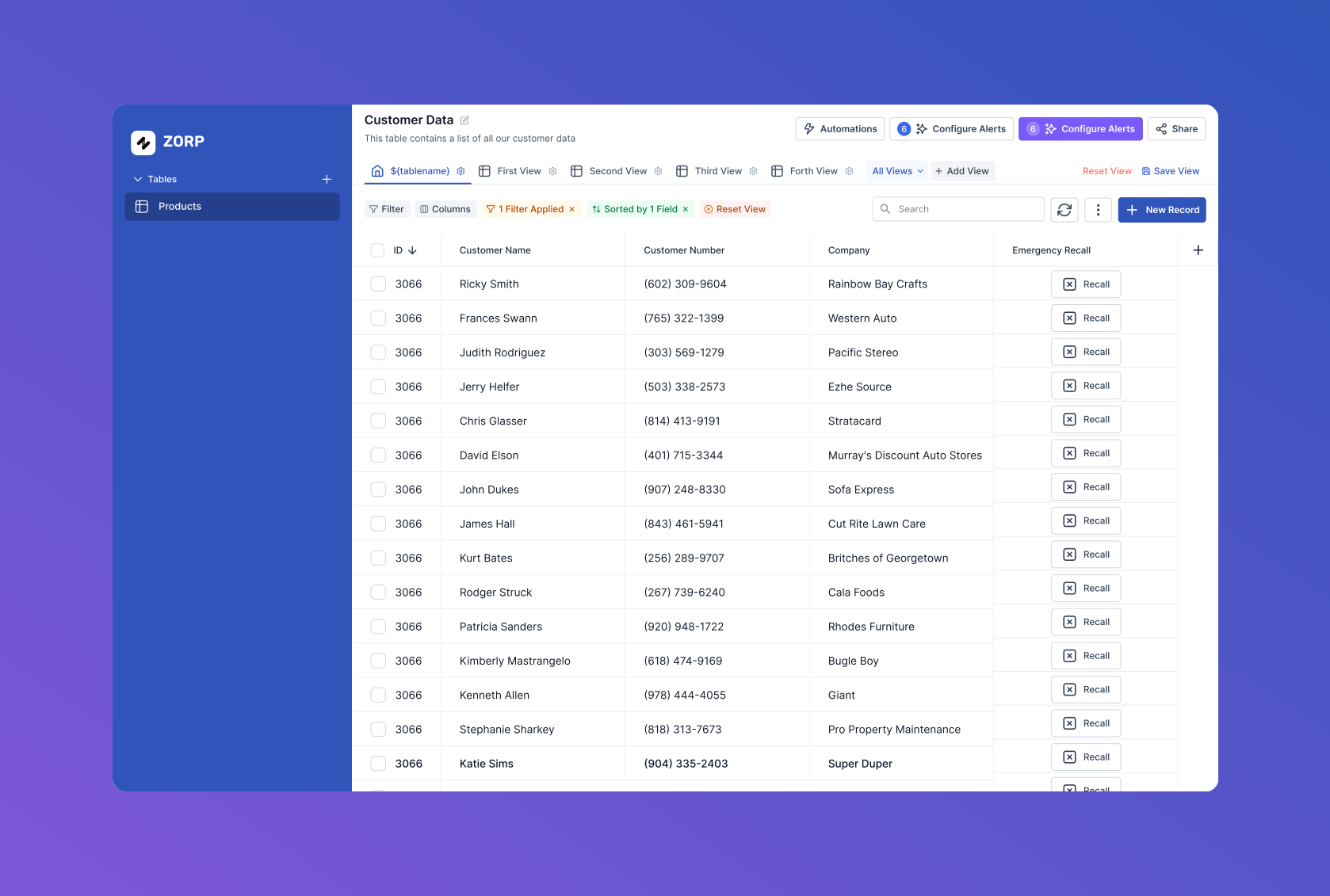
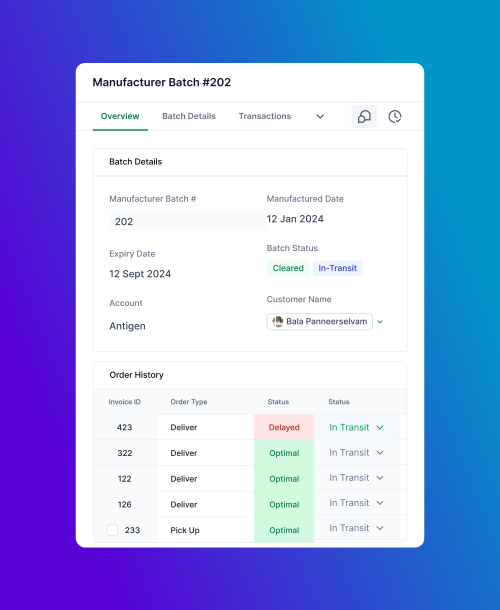
In the realm of operations and data management, the ability to control and customize data views is crucial. Zorp Tables was developed with this in mind, enabling users to pool data from external sources or from apps built using Zorp's no-code builder. This tool allows users to tailor their data views, ensuring they only see what's relevant.
Understanding the Problem
Data management can often feel overwhelming, especially when users are confronted with too much information at once. Our users needed a way to streamline their data, pulling in only what was necessary and presenting it in a manner that was both digestible and actionable.
To understand the challenges, I began by talking to potential users -those who would rely on Zorp Tables to manage their day-to-day operations. These conversations revealed a common pain point: while existing data management tools offered comprehensive data views, they often lacked the flexibility to customize those views to fit specific needs. Users wanted to focus on the data that mattered most to them without being bogged down by irrelevant information.
Ideation & Design Process
Armed with insights from user research, I began sketching out concepts for Zorp Tables. The goal was clear: create a tool that offered maximum flexibility in data management while remaining intuitive and easy to use.
Key Features Emerged
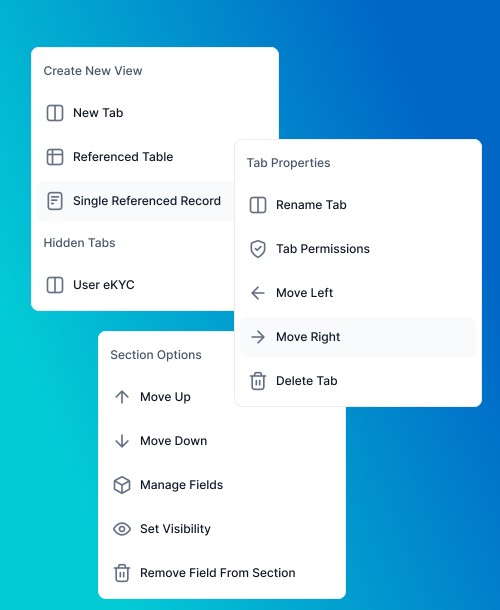
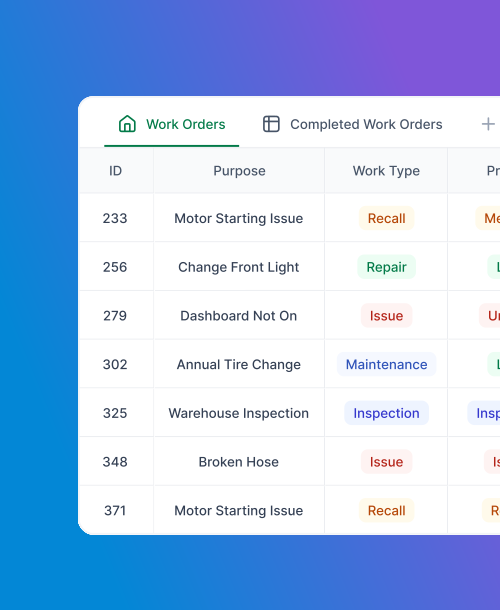
Configurable Tabs and Views: Users could set up their workspace to display only the data they needed, filtering out the noise. The ability to switch between different views quickly became a cornerstone of the design.
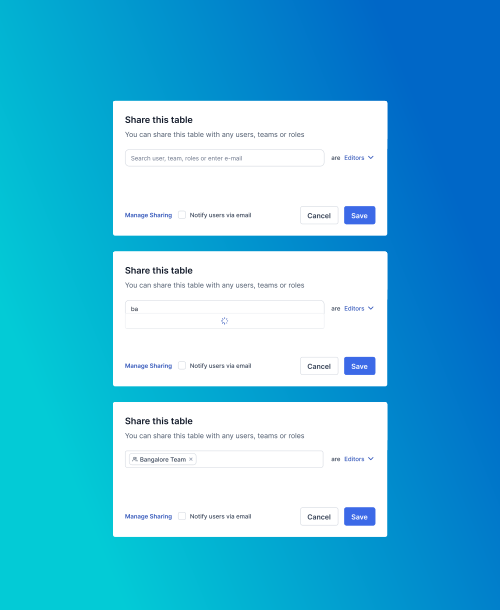
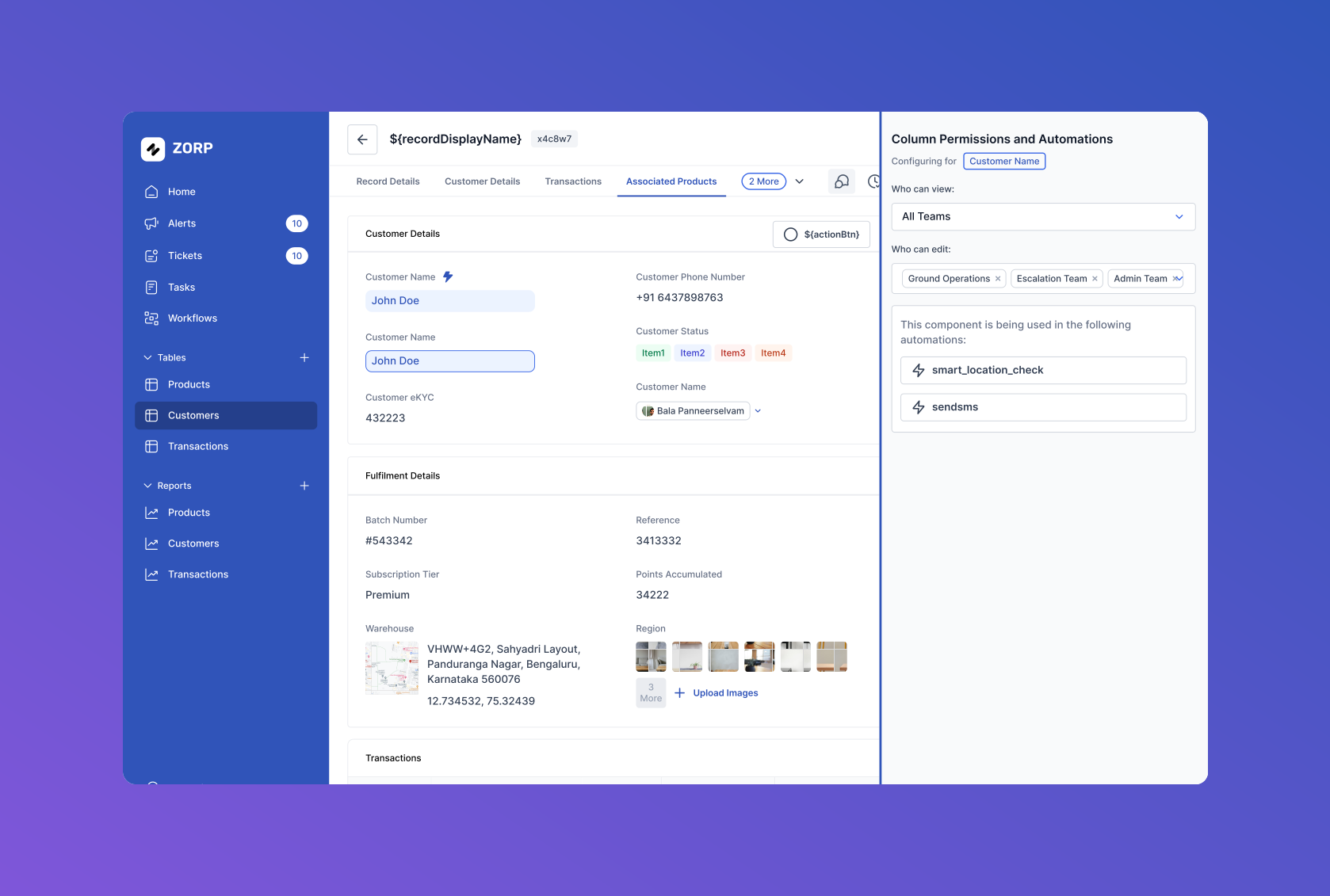
Granular Data Permissions: Users needed to be able to control who could see specific data. This required a flexible permissions system that was both powerful and easy to manage. I focused on designing an interface that allowed users to set these permissions with just a few clicks.
Prototyping & Testing
Using Figma, I created interactive prototypes that allowed users to explore the features of Zorp Tables. These prototypes were tested with a small group of users to gather feedback on usability and functionality.
The feedback was instrumental in refining the design:
- Users appreciated the flexibility of configuring their data views
- The setup process needed to be simplified further
- Clear communication was essential for the permissions feature
In response, I streamlined the steps required to set up custom views and introduced visual cues and detailed permission summaries, making it easier for users to manage their data securely.
Final Design & Implementation
The final design of Zorp Tables was a powerful tool that balanced flexibility with simplicity. Users could now pool data from multiple sources, configure their views to focus on what mattered most, and manage data permissions with ease.
Collaboration with the development team was crucial during the implementation phase. I worked closely with them to ensure that the design vision was faithfully translated into the final product. Regular reviews and feedback loops helped us address any challenges that arose, ensuring that the user experience stayed consistent.
Impact & Results
Zorp Tables has had a significant impact on how users manage their data within the Zorp ecosystem.
Results
- Streamlined data management for users
- Customizable views praised as essential to workflow
- Granular permissions well-received by teams
- Successful balance of power and simplicity
Key Highlights
Target Users
- Operations managers
- Data management professionals
- Teams needing customized data views
Key Features Designed
- Data pooling from external sources and Zorp apps
- Configurable tabs and views
- Granular data permissions system
- Visual cues for permission management
- Quick view switching capability
Tools Used
- Figma (interactive prototypes)
- User interviews
- Wireframing
- User testing
- Iterative design process
Reflection
Designing Zorp Tables was an exercise in balancing power with simplicity. The challenge was to create a tool that offered strong data management capabilities while remaining accessible to all users. Through careful research, iterative design, and close collaboration with the development team, we succeeded in building a feature that meets the diverse needs of Zorp's users. This project reinforced my belief in the importance of user-centered design, especially when dealing with complex data management tasks.